
How to Build an AI Agent: Complete Step-by-Step Guide for 2026

Want to know more? — Subscribe
An AI agent is a software system that uses large language models to autonomously perceive its environment, make decisions, and execute actions toward specific…
An AI agent is a software system that uses large language models to autonomously perceive its environment, make decisions, and execute actions toward specific goals using tools and APIs. Unlike traditional chatbots that simply respond to queries, AI agents can plan multi-step tasks, use external tools, maintain context, and adapt their behavior based on feedback.
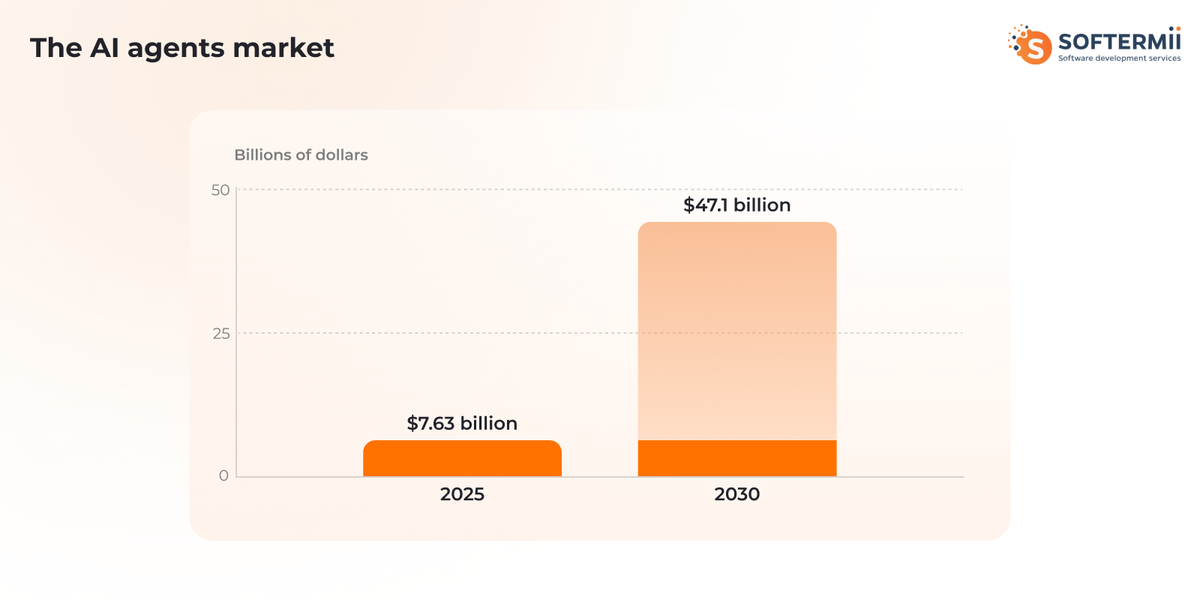
The AI agents market reached $7.63 billion in 2025 and is projected to grow to $47.1 billion by 2030, representing a compound annual growth rate of 44.8%, as organizations increasingly adopt autonomous systems to handle complex workflows and decision-making tasks.
Want a skimmable version?
Get a quick overview of our article with AI to access all the important information quickly.
Generate AI SummaryHide summary
Want a skimmable version?
Get a quick overview of our article with AI to access all the important information quickly.
Generate AI SummaryHide summaryA complete 2026 guide to building an AI agent — what an agent is, how its architecture works, and the types you can build.
What Is an AI Agent? (Technical Definition & Core Concepts)
An AI agent is an autonomous software system powered by large language models that can perceive its environment, reason about goals, make decisions, use tools, and take actions to complete complex tasks with minimal human intervention.
The distinction between different AI systems is critical for understanding what makes something a true agent:
Simple Chatbots respond to user input with pre-defined responses or basic pattern matching. They lack memory and reasoning capabilities and cannot use external tools.
AI Assistants like ChatGPT or Claude can hold conversations, maintain context within a session, and provide intelligent responses, but they wait for user prompts and don't autonomously pursue goals.
AI Agents go further by exhibiting key characteristics that define agency:
- Autonomy: Agents operate independently, making decisions without constant human input
- Goal-directed behavior: They work toward specific objectives, breaking down complex tasks into manageable steps
- Tool use capability: Agents can call APIs, execute code, search databases, and interact with external systems
- Reasoning and planning: They analyze situations, develop strategies, and adjust approaches based on results
- Environmental interaction: Agents perceive their environment through inputs and affect it through actions
Autonomous Agents represent the most advanced tier, capable of long-running operations, self-improvement, and handling ambiguous goals with minimal supervision.
According to a 2025 PwC survey, 79% of organizations have already implemented AI agents at some level, with 96% of IT leaders planning to expand their implementations during 2025, marking the transition from early adoption to mainstream deployment.
The core architecture of an AI agent consists of several interconnected components: a reasoning engine (typically an LLM), memory systems for maintaining state, a tool execution layer for interacting with external systems, planning modules for task decomposition, and feedback loops for observing results and adapting behavior.
How AI Agents Work: Architecture & Components
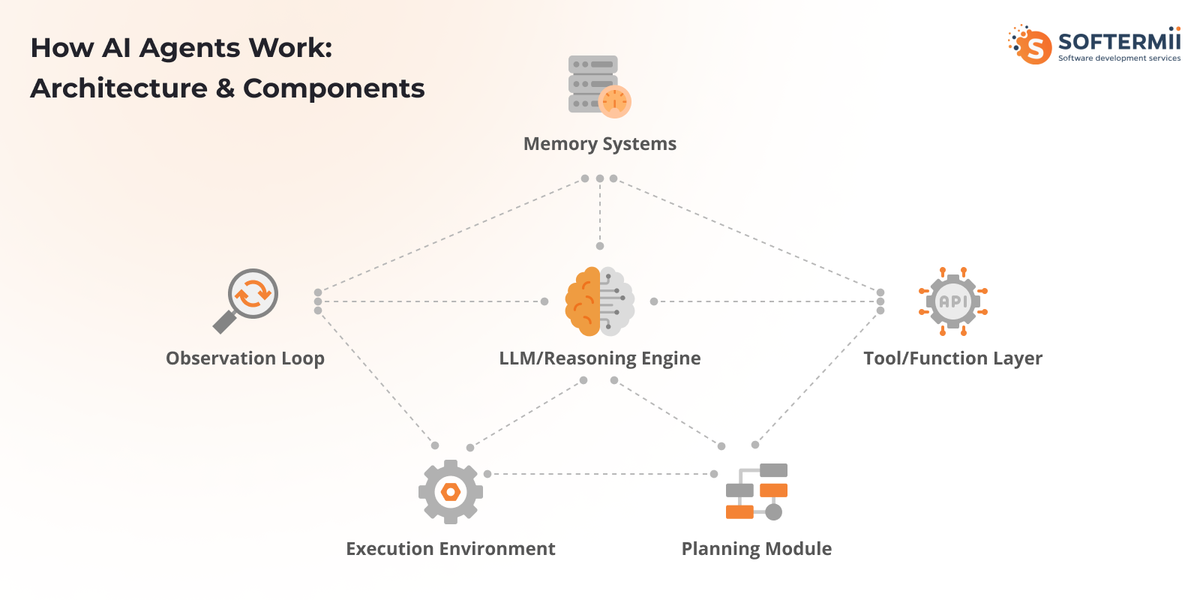
Building an AI agent requires understanding how its core components work together in a continuous loop. The agent architecture resembles a sophisticated control system, with each component playing a specific role.
The Reasoning Engine (LLM Core) serves as the agent's brain. This is typically a large language model like GPT-4, Claude, or Gemini that processes inputs, interprets goals, and decides what actions to take. The LLM receives the current state, available tools, and objectives, then generates reasoning about what to do next.
Memory Systems enable agents to maintain context and learn from experience. Short-term memory holds the current conversation or task context, typically stored in the LLM's context window. Long-term memory uses vector databases such as Pinecone, Weaviate, or Chroma to store and retrieve relevant information from past interactions, enabling the agent to reference prior learning and maintain consistency across sessions.
The Tool and Function Calling Layer bridges the gap between the agent's reasoning and the external world. This component translates the agent's intentions into actual API calls, database queries, code execution, or other operations. Modern LLMs support structured function calling, allowing agents to invoke tools with properly formatted parameters.
Planning and Reasoning Modules help agents break complex tasks into smaller steps. Rather than attempting everything in one step, sophisticated agents use techniques like chain-of-thought prompting and ReAct (Reasoning + Acting) patterns to decompose goals, create action plans, and validate their approach before execution.
The Execution Environment provides the runtime environment in which the agent operates. This includes API connections, sandboxed code execution environments, database access, and the infrastructure needed to perform actions safely.
Observation and Feedback Loops close the cycle by feeding results back to the agent. After taking an action, the agent observes the outcome, updates its understanding, and adjusts its strategy accordingly.
Here's how these components interact in a typical agent decision cycle:
- The agent receives an input or detects a trigger
- The reasoning engine processes the current state and goal
- It formulates a plan using available context from memory
- The agent selects an appropriate tool or action
- The execution environment performs the action
- Results are observed and fed back to the reasoning engine
- Memory is updated with new information
- The cycle repeats until the goal is achieved
For example, if you ask an agent to "research competitors and create a comparison report," it would perceive the goal, break it into steps (identify competitors, search for information, extract key data, synthesize findings, format report), execute each step using appropriate tools (web search, data extraction, document generation), observe results at each stage, and adjust its approach if needed.
Types of AI Agents You Can Build
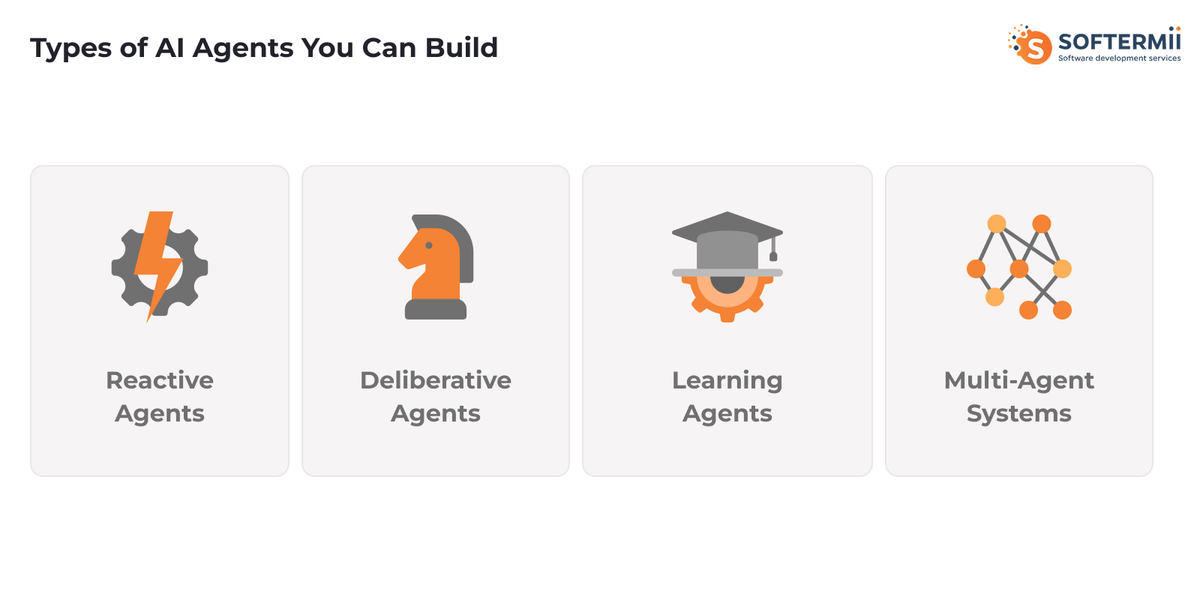
Understanding different agent architectures helps you choose the right approach for your specific use case.
Reactive Agents represent the simplest form of agent architecture. They respond directly to inputs without maintaining internal state or planning. A reactive agent examines the current situation and selects an action based on predefined rules enhanced by LLM reasoning.
These agents work well for straightforward tasks like answering questions, classifying inputs, or routing requests. The complexity level is low, requiring minimal infrastructure beyond API access to an LLM. Choose reactive agents when your tasks are stateless, require quick responses, and don't benefit from historical context.
Deliberative Agents maintain internal state and engage in planning before acting. They build models of their environment, reason about future states, and develop multi-step strategies. These agents excel at complex workflows like research tasks, multi-stage data processing, or coordinated operations across multiple systems.
The technical requirements increase significantly, needing memory systems, state management, and more sophisticated prompt engineering. Choose deliberative agents when tasks require planning, context awareness across interactions, or coordination of multiple sequential actions.
Learning Agents adapt their behavior based on experience. They not only execute tasks but also improve their performance over time by analyzing outcomes and adjusting their strategies. This might involve fine-tuning prompts, updating retrieval strategies, or modifying tool selection based on success rates.
Learning agents require additional infrastructure for tracking metrics, storing performance data, and implementing feedback mechanisms. Use learning agents for repetitive tasks where optimization matters, situations where requirements evolve, or applications where personalization improves with use.
Multi-Agent Systems involve multiple specialized agents collaborating toward common goals. Each agent has specific expertise and responsibilities, communicating with others to coordinate activities. For example, a customer service system might have separate agents for intent classification, information retrieval, response generation, and quality assurance.
Multi-agent systems offer powerful capabilities for complex domains but require orchestration layers, inter-agent communication protocols, and careful coordination logic. Choose this architecture when tasks naturally decompose into distinct specialized roles, when parallel processing offers advantages, or when different agents need different LLMs or tools.
What You Need Before Building an AI Agent
Technical Requirements
Before diving into AI agent development, you must first create a detailed model of the specialist's behavior and decision-making process whose role the AI agent will perform: documenting their workflow, judgment criteria, edge case handling, and the implicit knowledge they apply in different scenarios. Ensure you have the foundational programming knowledge necessary for success.
Python is the recommended language due to its extensive AI/ML ecosystem, though JavaScript/TypeScript works well for web-based agents. You'll need comfort with API integration, understanding RESTful services, handling authentication, and parsing JSON responses.
Basic machine learning and AI concepts help you make informed decisions about model selection, understand token limits and context windows, recognize when fine-tuning might help, and debug agent behavior effectively. Understanding asynchronous programming is crucial since agents often coordinate multiple API calls, tool executions, and data retrievals concurrently.
Infrastructure & Tools
Setting up your development environment properly saves time and headaches later. You'll need API access to at least one major LLM provider like OpenAI, Anthropic, Google, or open-source alternatives through platforms like Together AI or Replicate. Most providers offer free tiers for development, but budget for production usage.
Database and vector store options depend on your memory requirements. For simple agents, in-memory storage suffices. Complex agents benefit from vector databases like Pinecone (managed service), Weaviate (open source, self-hostable), Chroma (lightweight, embedded), or Qdrant (high-performance). Consider your scale, budget, and maintenance preferences when choosing.
Hosting requirements vary based on agent complexity. Simple agents can run as serverless functions on AWS Lambda, Google Cloud Functions, or Vercel. More complex agents might need persistent servers or container orchestration with Docker and Kubernetes. Development can happen locally, but production requires reliable infrastructure with proper monitoring.
Data & Planning
Successful agent development starts with clear planning. Define your use case precisely by identifying the specific problem your agent solves, who will use it, and what success looks like. Vague goals lead to scope creep and disappointing results.
Task decomposition involves breaking down your agent's objectives into discrete, achievable steps. Map out the workflow from input to output, identify decision points, and list all tools and APIs needed. This planning phase reveals technical challenges early.
Establish success metrics before building. For a customer service agent, metrics might include response accuracy, resolution rate, and user satisfaction. For a research agent, you might measure information relevance, source quality, and synthesis accuracy. Clear metrics guide development priorities and help you iterate effectively.
Identify your data requirements upfront. What information does your agent need access to? What format is it in? How will you maintain and update it? Agents are only as good as the data they can access and the tools they can use.
Step-by-Step: How to Build an AI Agent from Scratch
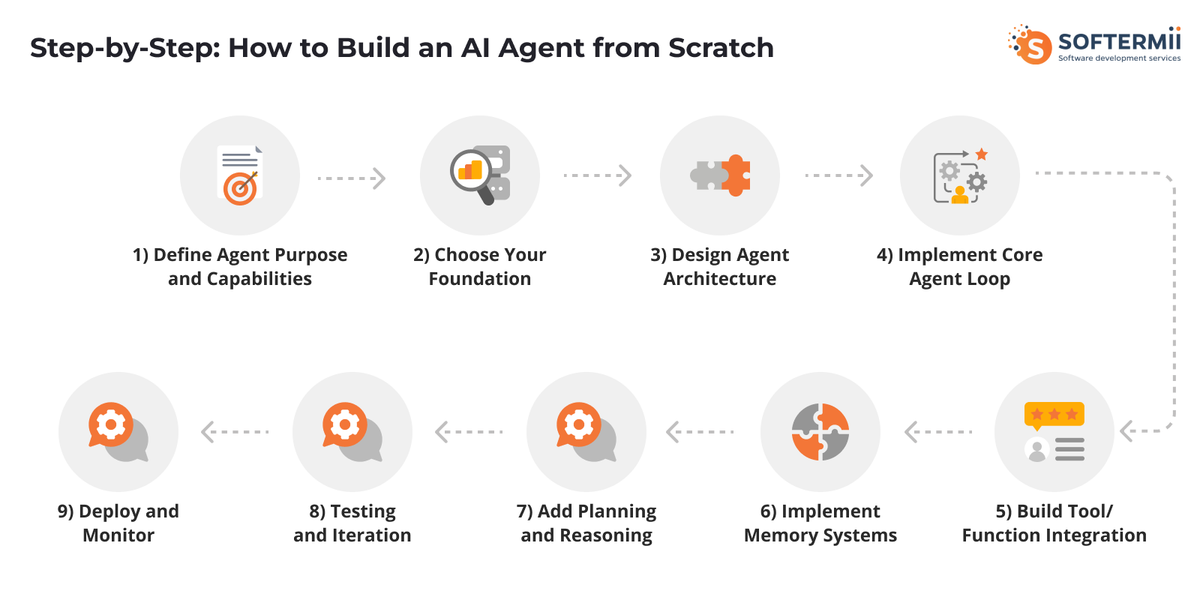
Step 1 - Define Agent Purpose and Capabilities
Start by crystallizing exactly what your agent will do. Write a clear problem statement: "This agent helps sales teams by automatically qualifying leads from form submissions and scheduling follow-up meetings." Specificity matters.
Define success criteria in measurable terms. For the sales agent example: correctly classify 90% of leads, achieve 80% meeting booking rate for qualified leads, and respond within 5 minutes. These concrete targets guide every subsequent decision.
Map required tools and APIs exhaustively. The sales agent needs access to CRM APIs (Salesforce, HubSpot), calendar systems (Google Calendar, Outlook), email capabilities, and possibly enrichment services like Clearbit for additional lead data. List each integration with its purpose.
Sketch the agent workflow as a flowchart or sequence diagram. Starting from form submission: receive lead data, enrich with additional information, analyze qualification criteria, classify lead, if qualified check calendar availability, send booking options, confirm meeting, update CRM, send notifications. This visualization reveals complexity and dependencies.
Step 2 - Choose Your Foundation (LLM & Framework)
Your choice of LLM significantly impacts agent capabilities, cost, and performance. Consider these factors:
Reasoning capability: GPT-4 and Claude Opus excel at complex reasoning and planning. GPT-4 Turbo offers similar capabilities with better speed. Claude Sonnet balances performance and cost. Gemini Pro provides strong multimodal capabilities.
Function calling support: Ensure your chosen LLM supports structured function calling. OpenAI's function calling is mature, Anthropic's tool use is robust, and Google's function calling continues improving.
Context window: Larger context windows (128k+ tokens) enable agents to maintain more conversation history and reference extensive documentation. GPT-4 Turbo offers 128k, Claude models support 200k, and Gemini 1.5 Pro extends to 1M tokens.
Cost considerations: Weigh per-token pricing against performance needs. For high-volume applications, even small per-token differences multiply significantly. Consider using more powerful models for planning and simpler models for routine operations.
Framework options range from building directly with APIs to using comprehensive agent frameworks:
Building from scratch with pure API calls offers maximum control and minimal dependencies. You write all the orchestration logic, memory management, and tool integration yourself. This approach suits experienced developers who need custom architectures or have specific requirements that frameworks don't address. The learning curve is steeper, but you avoid framework limitations.
Using frameworks like LangChain, CrewAI, or AutoGPT accelerates development by providing pre-built components for common patterns. LangChain offers the most comprehensive toolkit with agents, chains, memory systems, and tool integrations. CrewAI specializes in multi-agent orchestration with role-based designs. AutoGPT targets autonomous agents that pursue long-running goals. Frameworks reduce boilerplate but add dependencies and sometimes constrain flexibility.
Using platforms like n8n, Make, or Zapier enables visual workflow building with minimal code. These work well for simpler agents focused on automation rather than complex reasoning. The tradeoff is less control and potential platform lock-in.
| Approach | Control | Speed | Complexity | Best For |
|---|---|---|---|---|
| Pure API | Highest | Slower | High | Custom needs, maximum flexibility |
| Frameworks | Medium | Faster | Medium | Standard patterns, rapid development |
| No-Code Platforms | Lower | Fastest | Low | Simple automation, non-technical teams |
Steps
- Design Agent Architecture
Your agent's architecture determines its capabilities and maintainability. Design with these components in mind:
Planning module design: Decide how your agent will decompose complex tasks. Will it use a hierarchical planner that breaks goals into subgoals? A reactive planner that selects actions step-by-step? Or a hybrid approach? Document the planning strategy clearly.
Memory implementation strategy: Choose between stateless agents (each interaction is independent), session-based memory (context maintained during a conversation), or persistent memory (information retained across sessions). For persistent memory, design your schema—what information gets stored, how it's indexed, when it's retrieved, and how it's updated.
Tool integration approach: Create a standardized interface for all tools. Define how tools are described to the LLM, how parameters are validated, how errors are handled, and how results are formatted. Consistency here prevents integration headaches later.
Error handling and fallbacks: Agent systems fail in unique ways. The LLM might refuse to act, generate invalid tool calls, or hallucinate. Tools might be unavailable or return errors. Design graceful degradation: retry logic with exponential backoff, fallback to simpler strategies, human escalation pathways, and clear error messages that help debugging.
- Implement Core Agent Loop
The agent loop is the heart of your system. Here's a production-ready structure in Python:
{ignore}{ignore}def _initialize_tools(self):
    return [
        {
            "name": "get_pull_request",
            "description": "Fetch PR details including diff,
                files changed, and metadata",
            "input_schema": {
                "type": "object",
                "properties": {
                    "repo": { "type": "string",
                             "description": "Repository name"},
                    "pr_number": { "type": "integer",
                                  "description": "Pull request number"}
                },
                "required": ["repo", "pr_number"]
            }
        },
        {
            "name": "run_static_analysis",
            "description": "Run code quality checks on specified files",
            "input_schema": {
                "type": "object",
                "properties": {
                    "files": { "type": "array", "items": { "type": "string"}},
                    "checks": { "type": "array", "items": { "type": "string"},
                              "description": "Types: security,
                                              performance, style"}
                },
                "required": ["files"]
            }
        },
        {
            "name": "post_review_comment",
            "description": "Add a review comment to the pull request",
            "input_schema": {
                "type": "object",
                "properties": {
                    "pr_number": { "type": "integer"},
                    "file": { "type": "string"},
                    "line": { "type": "integer"},
                    "comment": { "type": "string"},
                    "severity": { "type": "string",
                                 "enum": ["info", "warning", "critical"]}
                },
                "required": ["pr_number", "comment"]
            }
        }
    ]{/ignore}
This implementation demonstrates the core perception-reasoning-action-observation loop in a real-world engineering context. The agent receives a code review request, fetches the pull request diff, analyzes code quality and potential issues, posts targeted review comments, and continues iterating until all critical findings are addressed. This pattern mirrors how a senior engineer reviews code - understanding context, identifying problems, and providing actionable feedback.
- Build Tool/Function Integration
Effective tool integration makes the difference between a basic chatbot and a capable agent. Define tools with clear, comprehensive descriptions that help the LLM understand when and how to use them.
Function definition format: Use structured schemas that specify parameters, types, and constraints. Here's an example tool definition:
{ignore}{ignore}def create_tool_definition():
    return {
        "name": "get_weather",
        "description": "Get current weather data for a specific location.
            Returns temperature, conditions, humidity, and forecast.",
        "input_schema": {
            "type": "object",
            "properties": {
                "location": {
                    "type": "string",
                    "description": "City name or zip code"
                },
                "units": {
                    "type": "string",
                    "enum": ["celsius", "fahrenheit"],
                    "description": "Temperature units",
                    "default": "celsius"
                }
            },
            "required": ["location"]
        }
    }

def get_weather(location, units="celsius"):
    """Actual implementation of weather API call"""
    try:
        # Call weather API
        api_response = weather_api.get(
            location=location,
            units=units
        )

        # Parse and structure response
        return {
            "location": api_response["name"],
            "temperature": api_response["main"]["temp"],
            "conditions": api_response["weather"][0]["description"],
            "humidity": api_response["main"]["humidity"],
            "forecast": api_response.get("forecast", [])
        }
    except APIError as e:
        return {
            "error": "Weather service unavailable",
            "details": str(e)
        }{/ignore}
API integration patterns: Implement robust wrappers for external services with retry logic, rate limiting, and caching where appropriate. Use environment variables for API keys and implement proper authentication.
Error handling: Tools fail in multiple ways—network issues, invalid parameters, rate limits, service outages. Return structured error messages that the agent can reason about and potentially recover from. Include enough context for the agent to decide whether to retry, try an alternative approach, or escalate to a human.
Response parsing: Ensure tool responses are consistently formatted and easy for the LLM to interpret. Use JSON for structured data, include relevant metadata, and avoid ambiguous or incomplete information that forces the agent to make assumptions.
- Implement Memory Systems
Memory transforms agents from stateless responders into contextual, adaptive systems. Implement multiple memory layers for different purposes.
Conversation memory maintains the current interaction context. For most agents, this lives in the message history passed to the LLM. Manage the context window carefully—summarize or truncate old messages when approaching token limits while preserving critical information.
{ignore}{ignore}class ConversationMemory:
    def __init__(self, max_tokens=100000):
        self.messages = []
        self.max_tokens = max_tokens

    def add_message(self, role, content):
        self.messages.append({"role": role, "content": content})
        self._manage_context_window()

    def _manage_context_window(self):
        """Prevent context overflow by summarizing old messages"""
        estimated_tokens = sum(
            len(msg["content"]) // 4
            for msg in self.messages
        )

        if estimated_tokens > self.max_tokens:
            # Summarize older messages while keeping recent ones
            self._summarize_old_context()

    def _summarize_old_context(self):
        """Create a condensed summary of early conversation"""
        # Implementation would use LLM to summarize
        pass{/ignore}
Long-term memory using vector databases enables agents to recall relevant information from past interactions or reference large knowledge bases. This involves embedding text into vectors, storing them with metadata, and retrieving similar content when needed.
{ignore}from chromadb import Client
from chromadb.config import Settings

class LongTermMemory:
    def __init__(self):
        self.client = Client(Settings())
        self.collection = self.client.create_collection("agent_memory")

    def store(self, text, metadata):
        """Store information in vector database"""
        self.collection.add(
            documents=[text],
            metadatas=[metadata],
            ids=[metadata.get("id")]
        )

    def retrieve(self, query, n_results=5):
        """Retrieve relevant memories based on semantic similarity"""
        results = self.collection.query(
            query_texts=[query],
            n_results=n_results
        )
        return results["documents"][0]{/ignore}
Memory retrieval strategies determine what information gets surfaced to the agent. Implement semantic search for finding contextually relevant memories, recency weighting to prioritize recent information, importance scoring for critical data, and metadata filtering for specific types of memories.
Context window management requires careful orchestration. Prioritize critical information (system instructions, current task), include recent conversation history, retrieve relevant long-term memories, and summarize or exclude less important content when space is limited.
- Add Planning and Reasoning
Advanced agents don't just react—they plan. Implement reasoning patterns that help agents tackle complex, multi-step tasks effectively.
Task decomposition breaks large goals into manageable subtasks. Prompt the agent to analyze the objective, identify dependencies, sequence steps logically, and validate the plan before execution. For example:
{ignore}def plan_task(agent, goal):
    """Generate a step-by-step plan for achieving a goal"""
    planning_prompt = f"""
    Goal: {goal}

    Break this goal down into specific, actionable steps.
    For each step:
    1. Describe what needs to be done
    2. Identify required tools or information
    3. List any dependencies on previous steps
    4. Estimate complexity (low/medium/high)

    Output your plan as a JSON array of steps.
    """

    plan = agent.run(planning_prompt)
    return parse_plan(plan){/ignore}
Chain-of-thought prompting encourages the agent to show its reasoning process. This improves accuracy and makes agent behavior more transparent and debuggable. Include instructions like "Think through this step-by-step" or "Explain your reasoning before taking action."
ReAct pattern implementation combines reasoning and acting in an interleaved fashion. The agent thinks about what to do, takes an action, observes the result, and reasons about what to do next. This pattern is particularly effective for agents that need to adapt based on tool outputs.
{ignore}def react_loop(agent, task):
    """Implement the ReAct (Reasoning + Acting) pattern"""
    prompt = f"""
    Task: {task}

    Approach this task using the ReAct pattern:
    - Thought: Reason about what to do next
    - Action: Use a tool or take an action
    - Observation: Examine the result
    - Repeat until task is complete

    Think out loud and be explicit about your reasoning.
    """
    return agent.run(prompt){/ignore}
Multi-step reasoning enables agents to handle tasks requiring multiple rounds of information gathering and synthesis. Design prompts that encourage thorough analysis, implement checkpoints to validate intermediate results, and allow the agent to backtrack if it encounters dead ends.
- Testing and Iteration
AI agents require different testing approaches than traditional software. Implement comprehensive testing across multiple dimensions.
Unit testing verifies individual components work correctly. Test tool integrations independently, validate memory storage and retrieval, check error handling paths, and ensure API interactions behave as expected.
Integration testing examines how components work together. Create test scenarios that exercise the full agent loop, verify tools are called with correct parameters, check that memory is properly maintained across interactions, and validate end-to-end workflows.
Prompt testing and refinement addresses the non-deterministic nature of LLMs. Run the same test case multiple times to identify variability, create diverse test inputs covering edge cases, measure success rates rather than binary pass/fail, and systematically iterate on prompts to improve consistency.
{ignore}def test_agent_consistency(agent, test_case, iterations=10):
    """Test agent behavior across multiple runs"""
    results = []
    for _ in range(iterations):
        response = agent.run(test_case["input"])
        results.append({
            "response": response,
            "meets_criteria": evaluate_response(
                response,
                test_case["expected_criteria"]
            )
        })

    success_rate = sum(r["meets_criteria"] for r in results) / iterations
    return {
        "success_rate": success_rate,
        "results": results
    }{/ignore}
Performance optimization focuses on latency, cost, and resource usage. Profile your agent to identify bottlenecks, optimize tool execution for speed, implement caching where appropriate, consider parallel tool calls when possible, and monitor token usage to control costs.
Step 9 - Deploy and Monitor
Production deployment requires infrastructure decisions and operational practices that ensure reliability.
Deployment options depend on your agent's requirements. Serverless functions (AWS Lambda, Cloud Functions) work well for event-driven agents with sporadic usage. Container-based deployments (Docker, Kubernetes) suit agents needing persistent state or complex dependencies. Managed platforms (Render, Railway, Heroku) simplify deployment for teams without DevOps expertise.
Monitoring and logging provide visibility into agent behavior. Log all LLM requests and responses (with appropriate PII handling), track tool executions and their results, record decision points and reasoning, measure latency at each stage, and capture errors with full context for debugging.
{ignore}import logging
from datetime import datetime

class AgentLogger:
    def __init__(self):
        self.logger = logging.getLogger("agent")

    def log_interaction(self, user_input, agent_response, tools_used):
        """Log a complete agent interaction"""
        self.logger.info({
            "timestamp": datetime.utcnow().isoformat(),
            "user_input": user_input,
            "agent_response": agent_response,
            "tools_used": tools_used,
            "token_usage": self._calculate_tokens(user_input, agent_response)
        })

    def log_error(self, error, context):
        """Log errors with full context for debugging"""
        self.logger.error({
            "timestamp": datetime.utcnow().isoformat(),
            "error": str(error),
            "context": context,
            "stack_trace": traceback.format_exc()
        }){/ignore}
Cost tracking prevents budget surprises. Monitor token usage by conversation, track API costs in real-time, set up alerts for unusual spending patterns, and analyze cost per successful task completion. Implement usage quotas for different user tiers or use cases.
Performance metrics measure agent effectiveness. Track success rate for task completion, measure accuracy of tool selections, monitor average response latency, analyze user satisfaction scores, and calculate cost per interaction. These metrics guide ongoing optimization and validate that your agent delivers value.
Building AI Agents with Popular Frameworks
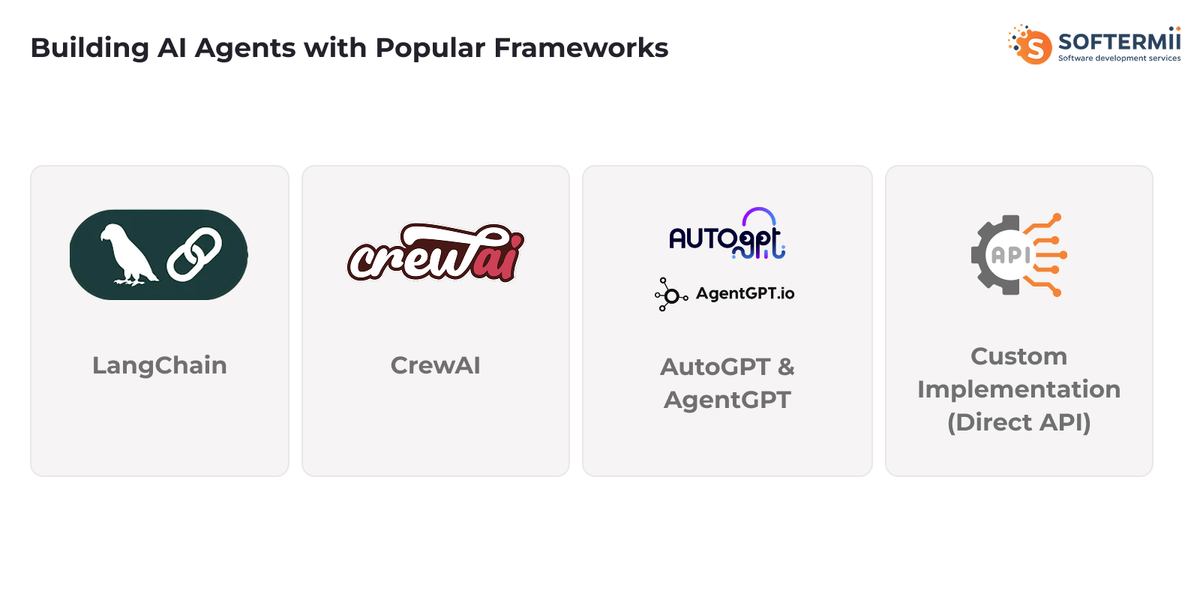
LangChain
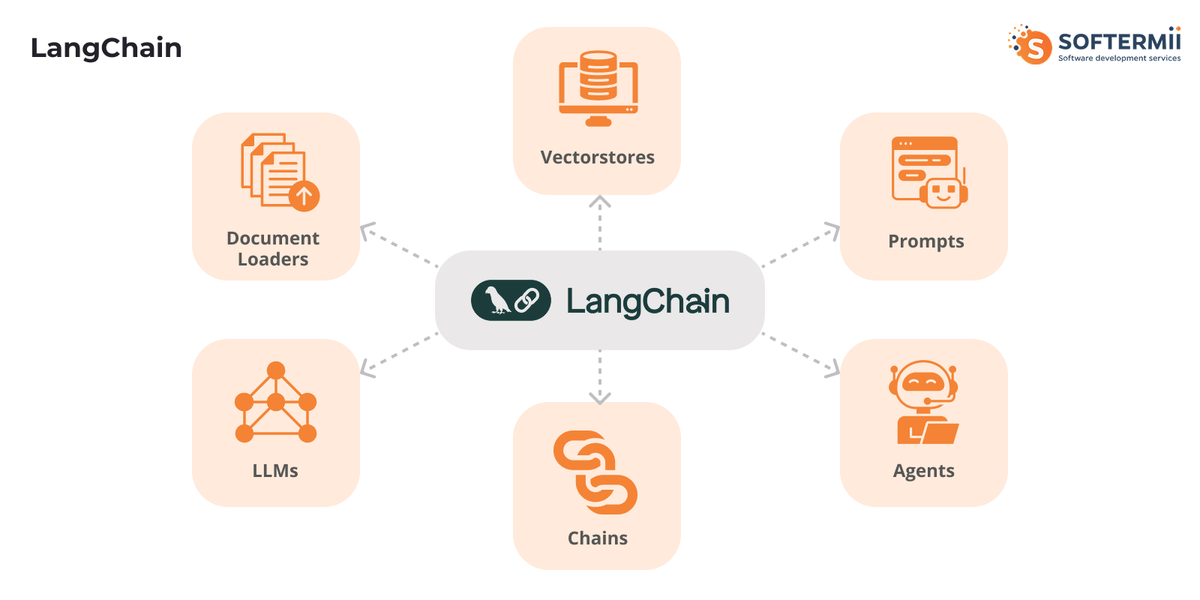
LangChain provides the most comprehensive framework for building AI agents with extensive tooling for chains, agents, memory, and integrations. It supports multiple LLM providers and offers pre-built components for common patterns.
Agent types in LangChain include zero-shot ReAct agents (decide which tool to use based solely on the tool description), conversational agents (maintain memory and context), OpenAI Functions agents (use native function calling), and structured chat agents (handle multiple inputs).
Quick start example:
{ignore}from langchain.agents import create_openai_functions_agent, AgentExecutor
from langchain_openai import ChatOpenAI
from langchain.tools import Tool
from langchain.prompts import ChatPromptTemplate, MessagesPlaceholder

# Define tools
def search_products(query: str) -> str:
    """Search product database"""
    return f"Found products matching: {query}"

tools = [
    Tool(
        name="ProductSearch",
        func=search_products,
        description="Search for products in inventory"
    )
]

# Create agent
llm = ChatOpenAI(model="gpt-4-turbo", temperature=0)
prompt = ChatPromptTemplate.from_messages([
    ("system", "You are a helpful shopping assistant."),
    ("user", "{input}"),
    MessagesPlaceholder(variable_name="agent_scratchpad"),
])

agent = create_openai_functions_agent(llm, tools, prompt)
agent_executor = AgentExecutor(agent=agent, tools=tools, verbose=True)

# Run agent
result = agent_executor.invoke({
    "input": "Find me wireless headphones under $100"
}){/ignore}
LangChain has become the dominant framework for AI agent development, with over 99,000 GitHub stars, 28 million monthly downloads, and more than 132,000 LLM applications built using the platform as of 2025. LangSmith, its observability platform, has surpassed 250,000 user signups and processes over 1 billion trace logs.
Best use cases: LangChain excels at rapid prototyping of agent applications, building conversational AI with memory, creating RAG (retrieval-augmented generation) systems, and integrating multiple data sources and tools. The framework handles much of the boilerplate, letting you focus on business logic.
According to LangChain's State of AI 2024 Report, the average number of steps per trace in agent workflows more than doubled from 2.8 steps in 2023 to 7.7 steps in 2024, while tool usage increased dramatically with 21.9% of traces now involving tool calls, up from just 0.5% in 2023. Additionally, 43% of LangSmith organizations are now sending LangGraph traces, demonstrating the rapid adoption of more sophisticated agent architectures.
Pros: Extensive documentation and community, pre-built integrations with dozens of tools and services, active development with frequent updates, and strong support for different agent architectures.
Cons: Can be overly complex for simple use cases, API changes between versions require maintenance, and abstraction layers sometimes obscure what's happening underneath.
CrewAI
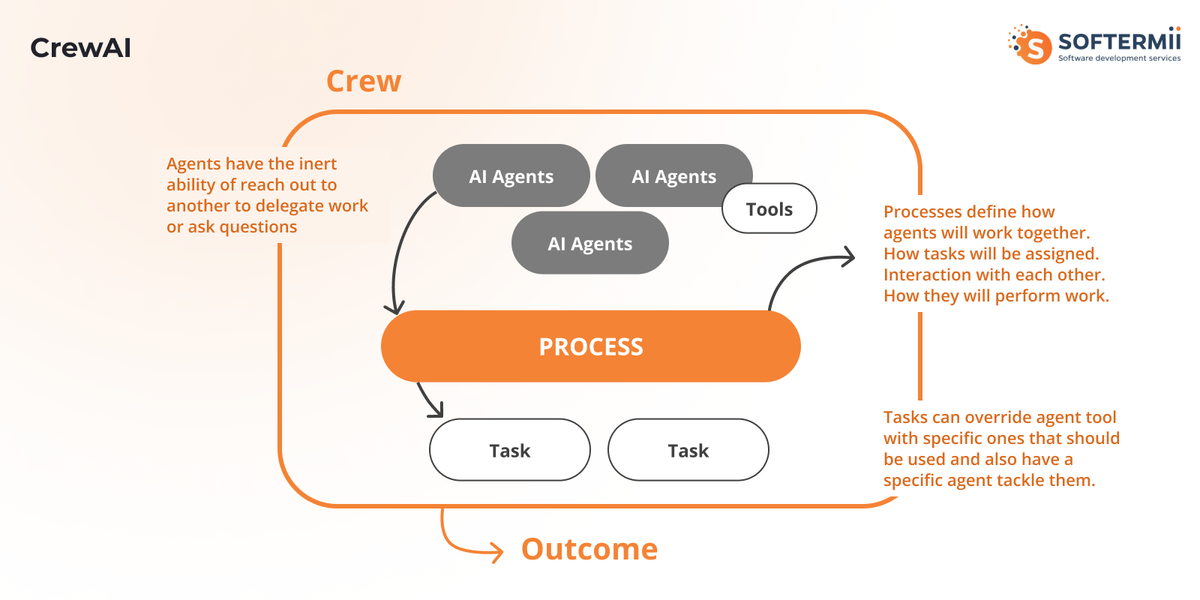
CrewAI specializes in multi-agent orchestration with a focus on role-based collaboration. It's designed for scenarios where multiple specialized agents work together on complex tasks.
Multi-agent orchestration: CrewAI lets you define agents with specific roles, goals, and backstories, then assign them tasks that require coordination. Each agent maintains its own context and expertise while collaborating toward shared objectives.
Role-based agent design mirrors real organizational structures. You might create a research agent, an analysis agent, and a writing agent that work together to produce comprehensive reports.
Example implementation:
{ignore}from crewai import Agent, Task, Crew

# Define specialized agents
researcher = Agent(
    role='Research Analyst',
    goal='Gather comprehensive information on the topic',
    backstory='Expert at finding and synthesizing information',
    tools=[web_search_tool, database_tool]
)

writer = Agent(
    role='Content Writer',
    goal='Create engaging content from research',
    backstory='Skilled writer who transforms data into narratives',
    tools=[writing_tool]
)

# Define tasks
research_task = Task(
    description='Research current trends in AI agents',
    agent=researcher
)

writing_task = Task(
    description='Write an article based on the research',
    agent=writer
)

# Create crew and execute
crew = Crew(
    agents=[researcher, writer],
    tasks=[research_task, writing_task]
)

result = crew.kickoff(){/ignore}
Best use cases: CrewAI shines in complex workflows requiring specialized expertise, content creation pipelines with multiple stages, research and analysis projects, and scenarios where different agents need different LLMs or tools.
AutoGPT & AgentGPT
AutoGPT pioneered autonomous AI agents that pursue long-running goals with minimal human intervention. These agents can self-prompt, execute tasks, and iterate toward objectives over extended periods.
Autonomous agent capabilities include self-directed goal pursuit, breaking down objectives into sub-tasks, executing tasks independently, learning from successes and failures, and operating over hours or days rather than single sessions.
Setup and configuration typically involves defining a high-level goal, providing access to necessary tools and APIs, setting constraints (budget, time limits, safety guardrails), and establishing checkpoints for human review.
Limitations to know: Autonomous agents can accumulate errors over long runs, consume significant API tokens without supervision, sometimes pursue suboptimal strategies, and require careful safety measures to prevent unintended actions. They work best for well-defined goals where some trial and error is acceptable.
Custom Implementation (Direct API)
Building directly with LLM APIs gives you maximum control and minimal framework overhead. This approach suits teams with specific requirements or those wanting deep understanding of agent mechanics.
When to build from scratch: Choose custom implementation when you need precise control over every component, have performance requirements frameworks can't meet, want to avoid framework dependencies and versioning issues, or are building highly specialized agents with unique architectures.
Example with OpenAI/Anthropic API:
{ignore}import openai
from typing import List, Dict

class CustomAgent:
    def __init__(self, api_key: str):
        self.client = openai.OpenAI(api_key=api_key)
        self.tools_registry = {}
        self.conversation = []

    def register_tool(self, name: str, func: callable, description: str,
                      parameters: Dict):
        """Register a tool that the agent can use"""
        self.tools_registry[name] = {
            "function": func,
            "definition": {
                "type": "function",
                "function": {
                    "name": name,
                    "description": description,
                    "parameters": parameters
                }
            }
        }

    def execute(self, user_message: str) -> str:
        """Execute agent with custom control flow"""
        self.conversation.append({"role": "user", "content": user_message})

        tools = [tool["definition"] for tool in self.tools_registry.values()]

        while True:
            response = self.client.chat.completions.create(
                model="gpt-4-turbo",
                messages=self.conversation,
                tools=tools if tools else None
            )

            message = response.choices[0].message

            # If no tool calls, return response
            if not message.tool_calls:
                self.conversation.append({"role": "assistant", "content": message.content})
                return message.content

            # Execute tool calls
            self.conversation.append(message)

            for tool_call in message.tool_calls:
                tool_name = tool_call.function.name
                tool_args = json.loads(tool_call.function.arguments)

                result = self.tools_registry[tool_name]["function"](**tool_args)

                self.conversation.append({
                    "role": "tool",
                    "tool_call_id": tool_call.id,
                    "content": json.dumps(result)
                }){/ignore}
Control vs complexity tradeoff: Custom implementations require more code but offer precise behavior, full transparency, and optimization opportunities. You implement exactly what you need without unused framework features, but you're responsible for handling all edge cases and maintaining the codebase.
No-Code and Low-Code AI Agent Building
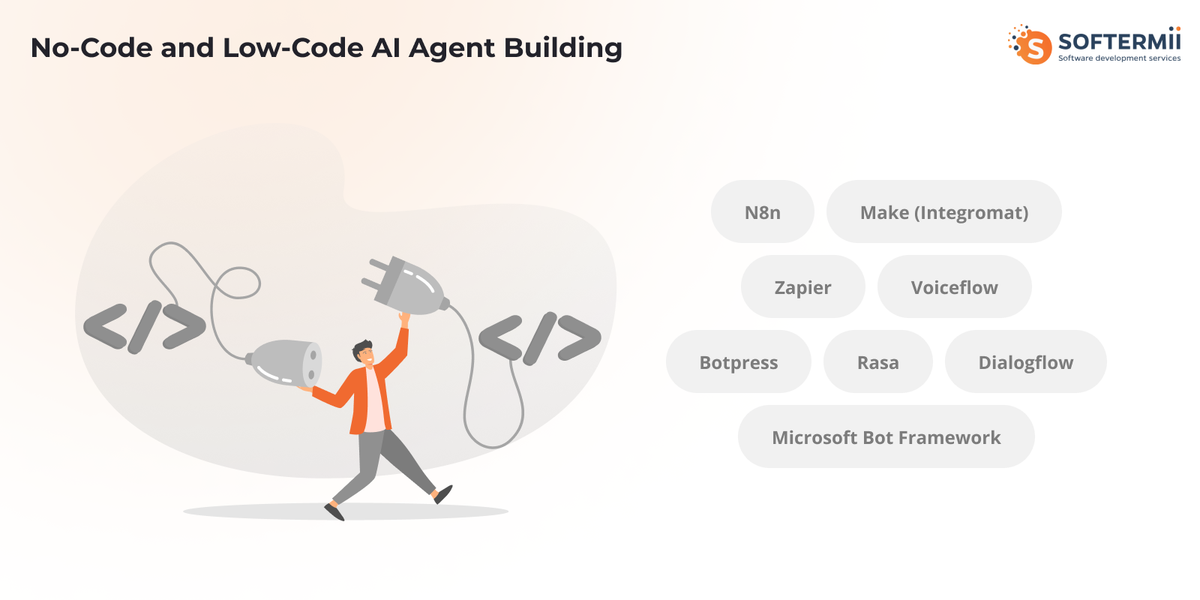
Not every team needs to build agents from scratch. No-code and low-code platforms democratize AI agent development for non-programmers and accelerate prototyping for technical teams.
N8n
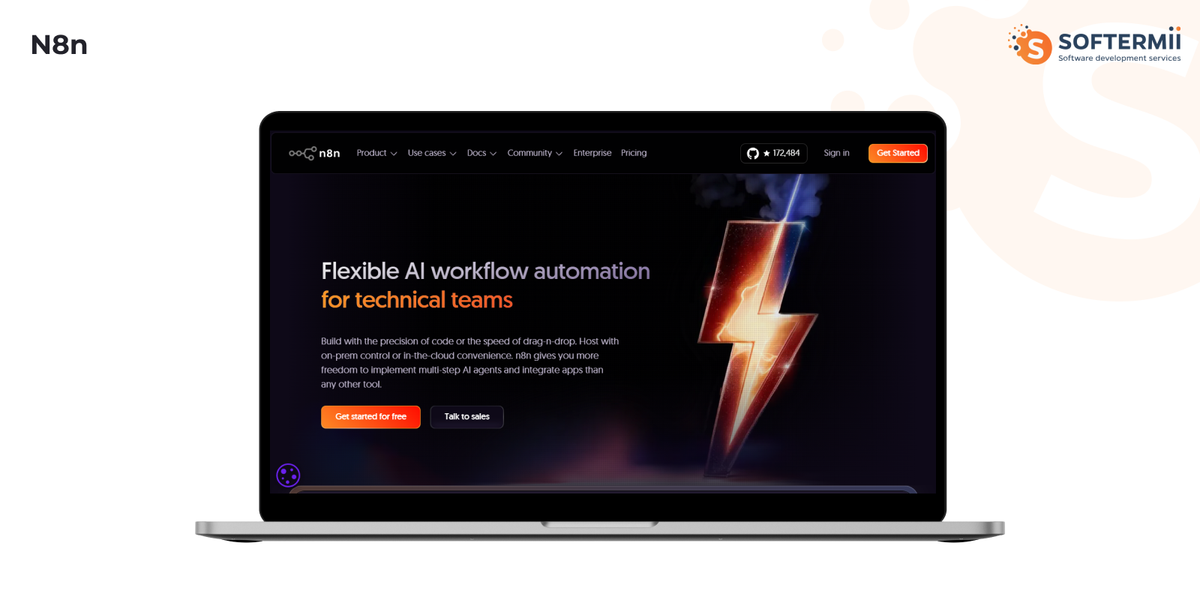
n8n is a workflow automation platform with robust AI capabilities, enabling visual development of AI agents through connected nodes.
Workflow-based agent building connects nodes representing different operations: LLM calls, API requests, data transformations, conditional logic, and loops. You wire these together visually to create agent behaviors.
Integration capabilities include over 400 pre-built integrations with tools like Slack, Google Workspace, databases, CRMs, and more. This makes n8n particularly effective for building agents that orchestrate multiple business tools.
Use cases: Customer support automation that routes queries and generates responses, data processing pipelines that extract and analyze information, content generation workflows that create and publish material, and business process automation connecting multiple systems.
Make (Integromat) & Zapier
Make and Zapier focus on connecting applications through automated workflows. While not purpose-built for AI agents, they support AI functionality through integrations with OpenAI, Anthropic, and other providers.
When automation platforms work for agents: These platforms suit simple agents with linear workflows, scenarios where the primary value is connecting existing tools, teams without programming resources, and rapid prototyping before custom development.
Limitations: Complex reasoning and dynamic planning are challenging, limited control over LLM behavior and prompting, potentially higher costs at scale compared to custom solutions, and dependency on platform reliability and pricing.
Best practices: Start with clear, simple workflows before adding complexity, use automation platforms for the orchestration layer while calling custom code for complex logic, implement proper error handling and notifications, and monitor execution logs carefully.
Agent-Specific No-Code Tools
Voiceflow specializes in conversational AI and voice agents. It provides visual design tools for dialog flows, built-in NLU (natural language understanding), integration with voice platforms like Alexa and Google Assistant, and prototyping capabilities for conversation design.
Botpress focuses on chatbot development with features for intent recognition and entity extraction, visual conversation builder, integration with messaging platforms, and both open-source and hosted options.
Other specialized platforms include Rasa (open source conversational AI), Dialogflow (Google's conversational platform), and Microsoft Bot Framework. Each offers different tradeoffs between control, ease of use, and capabilities.
Building Specific Types of AI Agents
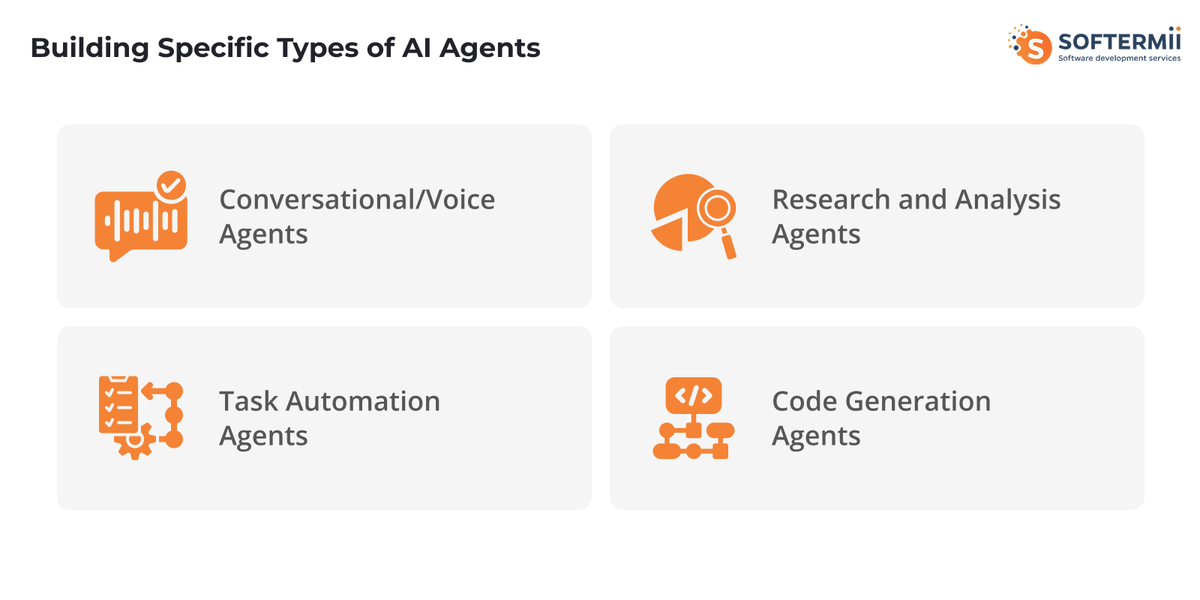
Conversational/Voice Agents
Conversational and voice agents require additional components beyond text-based agents to handle spoken interaction.
Speech-to-text integration converts user speech into text the agent can process. Services like OpenAI Whisper, Google Speech-to-Text, or AWS Transcribe provide APIs for this. Handle audio input quality issues, support multiple languages and accents, and implement real-time streaming for responsive conversations.
Dialog management maintains conversation state and context. Track conversation history, handle interruptions and corrections, manage turn-taking in multi-party conversations, and implement context switching when topics change.
Voice synthesis converts agent responses into natural-sounding speech. Options include OpenAI TTS, Google Text-to-Speech, Amazon Polly, and ElevenLabs. Choose voices appropriate for your use case, adjust speaking rate and tone, and handle pronunciation of domain-specific terms.
Example: Customer service agent architecture includes speech recognition for incoming calls, natural language understanding to identify intent, knowledge base retrieval for relevant information, response generation with appropriate tone, text-to-speech synthesis, and integration with ticketing systems for follow-up.
Task Automation Agents
Task automation agents excel at coordinating multiple tools to complete workflows that traditionally require human intervention.
Workflow automation capabilities include triggering based on events (new email, form submission, scheduled time), orchestrating sequences of actions across tools, handling conditional logic and branching, and implementing error recovery and retry mechanisms.
Multi-tool orchestration coordinates diverse systems. An agent might read from a database, call external APIs, update spreadsheets, send notifications, and generate reports all within a single workflow.
Example: Sales/CRM agent functionality includes monitoring lead sources for new prospects, enriching lead data from multiple sources, scoring leads based on qualification criteria, updating CRM with structured information, scheduling follow-up tasks, sending personalized outreach, and escalating high-value leads to sales representatives.
Research and Analysis Agents
Research agents gather, synthesize, and analyze information from multiple sources to answer complex questions or generate insights.
Web browsing capabilities enable agents to search for information, navigate to specific pages, extract relevant content, and follow links to gather comprehensive data. Implement using tools like Playwright for browser automation or APIs like Serper for search results.
Information synthesis combines data from multiple sources into coherent outputs. The agent must evaluate source credibility, reconcile conflicting information, identify patterns and trends, and present findings clearly.
Example: Market research agent workflow includes receiving a research question, generating search queries to explore different angles, gathering data from multiple sources, extracting key information and statistics, analyzing trends and competitive landscape, synthesizing findings into a structured report, and citing sources appropriately.
Code Generation Agents
Code generation agents assist with software development tasks ranging from writing functions to entire applications.
Repository understanding involves parsing codebases to understand structure, reading documentation and comments, identifying patterns and conventions, and understanding dependencies and imports.
Code execution safety requires sandboxed environments to prevent malicious or buggy code from causing harm, validation of generated code before execution, testing and verification of outputs, and limiting resource usage (CPU, memory, network).
Example: DevOps agent capabilities include analyzing infrastructure configurations, generating deployment scripts, troubleshooting errors in logs, suggesting optimizations, automating routine maintenance tasks, and generating documentation for systems.
AI Agent Development: Tools, Libraries & APIs
Choosing the right tools significantly impacts development speed, agent capabilities, and long-term maintainability.
LLM Providers Comparison:
| Provider | Models | Strengths | Pricing | Best For |
|---|---|---|---|---|
| OpenAI | GPT-4, GPT-4 Turbo | Function calling, reliability, extensive tooling | $10-60/1M tokens | Production agents, complex reasoning |
| Anthropic | Claude 3 family | Long context, safety, tool use | $3-75/1M tokens | Enterprise agents, analysis tasks |
| Gemini Pro, Ultra | Multimodal, long context, fast | $0.50-7/1M tokens | Cost-sensitive applications, multimodal | |
| Open Source | Llama 3, Mistral, Mixtral | Self-hosted, customizable, no API costs | Infrastructure costs | Privacy-sensitive, high-volume, customization |
Framework Comparison:
LangChain vs LlamaIndex vs Haystack: LangChain offers the broadest agent capabilities with extensive tool integrations and multiple agent types. LlamaIndex specializes in data indexing and retrieval, excelling at RAG applications. Haystack focuses on NLP pipelines and search applications.
Feature comparison: LangChain provides the most comprehensive agent framework with mature function calling, complex chains, and extensive documentation. LlamaIndex offers superior data ingestion and retrieval capabilities. Haystack delivers production-ready NLP pipelines.
Learning curve: LangChain has the steepest learning curve due to extensive features and abstraction layers. LlamaIndex is more focused and easier to learn for RAG use cases. Haystack offers good documentation but requires understanding of its pipeline architecture.
Community support: LangChain has the largest community with extensive examples and third-party resources. LlamaIndex and Haystack have active but smaller communities.
Essential Tools:
Vector Databases: Pinecone offers managed hosting with excellent performance but higher costs. Weaviate provides open-source flexibility with good scalability. Chroma delivers lightweight embedding for development and smaller applications. Qdrant emphasizes performance and advanced filtering capabilities.
Observability: LangSmith provides comprehensive monitoring for LangChain applications with trace visualization and debugging. Helicone offers lightweight monitoring for any LLM application with usage analytics and caching. Phoenix tracks LLM application performance with drift detection and troubleshooting.
Testing Frameworks: Pytest with custom fixtures for agent testing, LangChain evaluators for assessing agent outputs, custom benchmarking tools for performance testing, and prompt testing frameworks for systematic iteration.
Common Challenges When Building AI Agents (and Solutions)
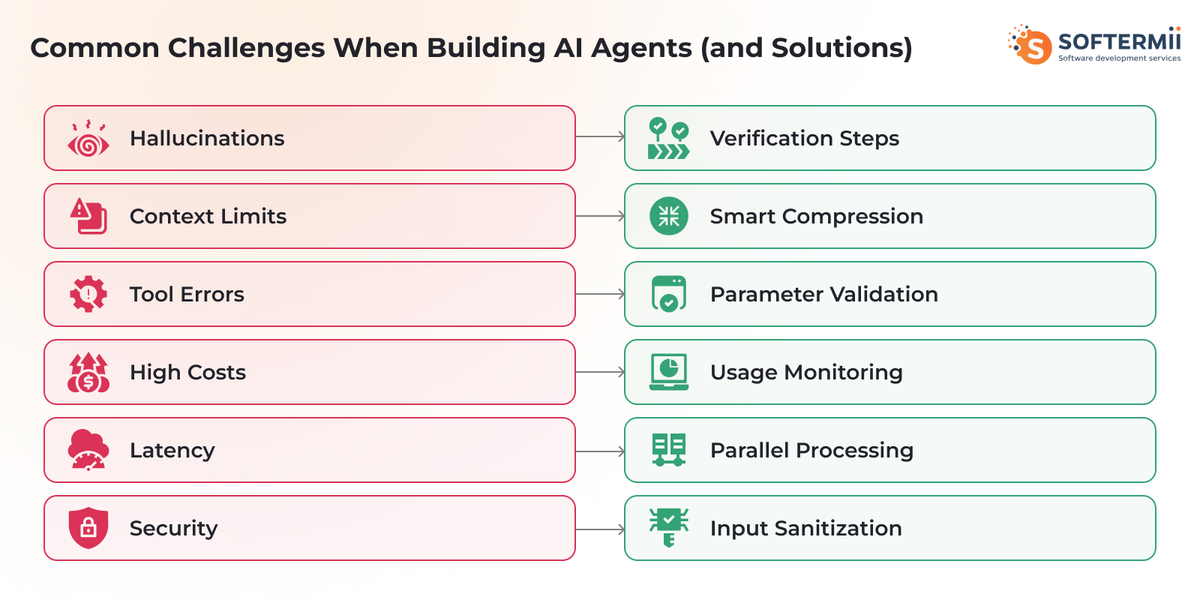
Hallucination and Reliability Issues
Why it happens: LLMs generate plausible-sounding but incorrect information when they lack knowledge or misinterpret context. This becomes critical when agents take actions based on hallucinated data.
Mitigation strategies: Implement verification steps by cross-referencing information from multiple sources before acting. Use structured outputs with schema validation to catch formatting errors. Add confidence scoring to agent decisions. Include human-in-the-loop checkpoints for high-stakes actions. Ground responses in retrieved data rather than relying solely on the model's training.
Code example:
{ignore}def verify_information(agent, claim, sources):
    """Verify a claim against multiple sources"""
    verification_prompt = f"""
    Claim: {claim}

    Verify this claim against the following sources:
    {sources}

    Return a JSON object with:
    - verified: boolean
    - confidence: 0-100
    - supporting_evidence: list of quotes
    - contradictions: list of conflicts
    """

    result = agent.run(verification_prompt)
    verification = json.loads(result)

    if verification["confidence"] < 80:
        return {"status": "requires_review", "data": verification}

    return {"status": "verified", "data": verification}{/ignore}
Context Window Limitations
Why it happens: All LLMs have maximum context lengths. Complex agents accumulate conversation history, tool results, and retrieved information that can exceed these limits.
Mitigation strategies: Implement intelligent summarization that condenses old conversation history while preserving key information. Use retrieval-based memory where you store full history in a database and retrieve only relevant portions. Employ hierarchical agents where high-level coordination agents delegate to specialized agents with focused contexts. Compress tool outputs by extracting only relevant information before adding to context.
Pattern example:
{ignore}class ContextManager:
    def __init__(self, max_tokens=100000):
        self.max_tokens = max_tokens
        self.messages = []
        self.summaries = []

    def add_message(self, message):
        """Add message with automatic compression if needed"""
        self.messages.append(message)

        if self._estimate_tokens() > self.max_tokens:
            self._compress_context()

    def _compress_context(self):
        """Summarize oldest messages to free space"""
        # Identify messages to summarize
        old_messages = self.messages[:len(self.messages)//2]
        recent_messages = self.messages[len(self.messages)//2:]

        # Generate summary
        summary = self._summarize_messages(old_messages)
        self.summaries.append(summary)

        # Keep only summary and recent messages
        self.messages = recent_messages{/ignore}
Tool Calling Errors
Why it happens: Agents might call tools with invalid parameters, select inappropriate tools, or misinterpret tool outputs. LLMs can also hallucinate tool names or parameters.
Mitigation strategies: Implement strict parameter validation before executing tools. Provide clear, detailed tool descriptions with examples. Return structured error messages that guide the agent toward corrections. Add retry logic with corrective feedback. Log all tool calls for analysis and debugging.
Example pattern:
{ignore}
  def execute_tool_safely(tool_name, parameters):
      """Execute tool with validation and error handling"""
      # Validate tool exists
      if tool_name not in available_tools:
          return {
              "error": "Unknown tool",
              "available_tools": list(available_tools.keys()),
              "suggestion": f"Did you mean {find_similar_tool(tool_name)}?"
          }

      tool = available_tools[tool_name]

      # Validate parameters
      validation_result = validate_parameters(parameters, tool.schema)
      if not validation_result.valid:
          return {
              "error": "Invalid parameters",
              "details": validation_result.errors,
              "expected": tool.schema,
              "received": parameters
          }

      # Execute with timeout
      try:
          result = timeout_execute(tool.function, parameters, timeout=30)
          return {"success": True, "result": result}
      except TimeoutError:
          return {"error": "Tool execution timeout", "tool": tool_name}
      except Exception as e:
          return {"error": str(e), "tool": tool_name, "parameters": parameters}
{/ignore}
Cost Management
Why it happens: AI agents can consume significant API tokens through conversation history, tool results, and iterative reasoning. Costs scale with usage and can spiral unexpectedly.
Mitigation strategies: Monitor token usage per conversation and set limits. Implement caching for repeated queries or tool results. Use cheaper models for simple tasks and reserve expensive models for complex reasoning. Optimize prompts to reduce unnecessary verbosity. Set budget alerts and circuit breakers.
Latency and Performance
Why it happens: Sequential LLM calls, API round trips, and tool executions create cumulative latency. Users expect responsive interactions.
Mitigation strategies: Parallelize independent tool calls when possible. Stream responses to show progress. Implement caching for frequently accessed data. Use faster models for latency-critical paths. Optimize prompts to reduce generation time. Consider background processing for non-urgent tasks.
Prompt Injection Vulnerabilities
Why it happens: Malicious users can craft inputs that manipulate agent behavior, bypass restrictions, or extract sensitive information.
Mitigation strategies: Separate user input from system instructions clearly. Validate and sanitize all user inputs. Implement input filtering for suspicious patterns. Use separate prompts for instructions vs user content. Add safety guardrails that detect and prevent harmful outputs. Monitor for unusual agent behaviors.
State Management Complexity
Why it happens: Agents must maintain consistent state across conversations, tool calls, and errors. Distributed systems and concurrent users compound complexity.
Mitigation strategies: Use transactional approaches where possible. Implement state snapshots for rollback capability. Design idempotent operations that safely retry. Use message queues for reliable async processing. Maintain audit logs for state changes.
AI Agent Development: Cost Breakdown
Understanding costs helps you budget appropriately and optimize spending. Enterprise AI investment has shifted from experimental budgets to core operations, with 40% of generative AI spending now coming from permanent budgets rather than innovation funds. Organizations are investing an average of $6.5 million annually in AI initiatives, with companies making large strategic investments experiencing a 40-percentage-point gap in success rates compared to those with minimal investment.
LLM API Costs: Prices vary significantly by provider and model. OpenAI GPT-4 costs approximately $10 per million input tokens and $30 per million output tokens. Claude Opus runs $15 input/$75 output per million tokens. GPT-4 Turbo offers better rates at $10 input/$30 output. Gemini Pro is cost-effective at $0.50 input/$1.50 output.
For a typical conversational agent handling 1000 interactions daily with average 2000 tokens per interaction (input + output), monthly costs could range from $30 (Gemini Pro) to $600 (Claude Opus) depending on the model chosen.
Infrastructure Costs: Hosting requirements depend on agent complexity. Serverless functions for simple agents cost minimal amounts (often under $10/month for moderate usage). Vector database hosting ranges from $25/month (self-hosted Weaviate) to $70+/month (managed Pinecone). Full application hosting on platforms like Render or Railway runs $7-85/month depending on resources.
Development Time Estimates:
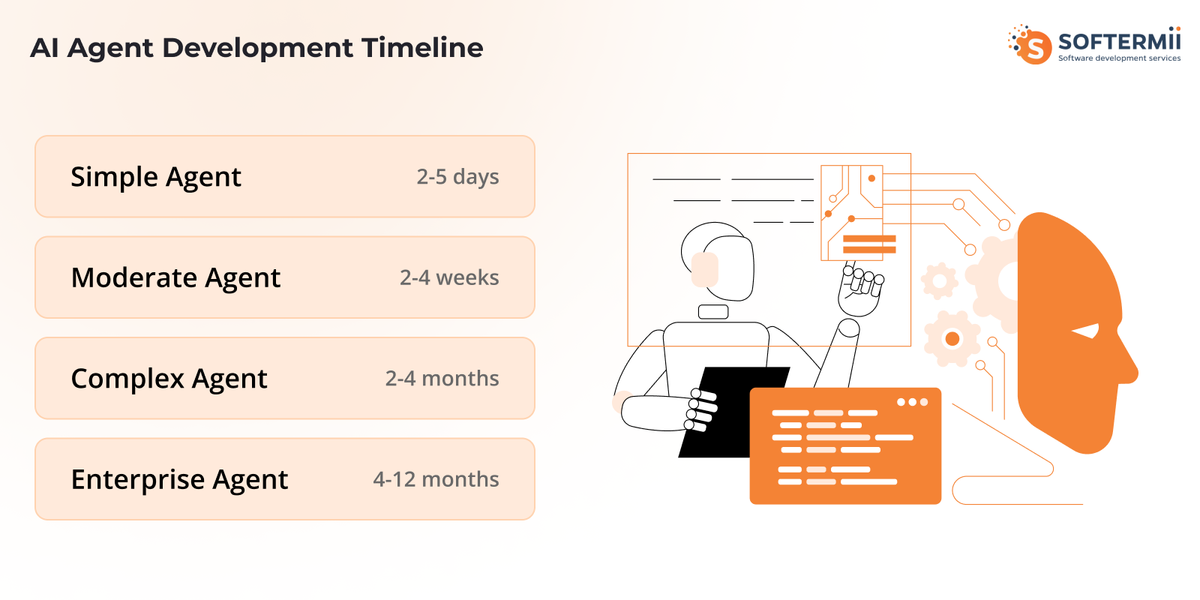
| Agent Complexity | Development Time | Components | Skill Level |
|---|---|---|---|
| Simple agent | 2-5 days | Basic LLM integration, 1-2 tools, simple memory | Intermediate developer |
| Moderate agent | 2-4 weeks | Multiple tools, persistent memory, error handling, testing | Experienced developer |
| Complex agent | 2-4 months | Multi-agent orchestration, custom tools, advanced reasoning, production deployment | Senior developer + team |
| Enterprise agent | 4-12 months | Full system integration, security, compliance, scalability, monitoring | Development team |
Ongoing Operational Costs: Include API usage ($100-5000+/month depending on volume), infrastructure hosting ($50-500/month), monitoring and logging tools ($0-100/month), and maintenance time (ongoing).
Cost Optimization Strategies: Implement aggressive caching of common queries and responses. Use cheaper models for classification and simple tasks. Batch requests where latency permits. Implement smart context window management to reduce token usage. Monitor and alert on unusual spending patterns. Consider self-hosted open-source models for high-volume applications.
Best Practices for AI Agent Development
Despite strong adoption, implementation remains challenging. Research shows that 70-85% of AI initiatives fail to meet expected outcomes, with 42% of companies abandoning most AI initiatives in 2025. However, organizations with formal AI strategies report 80% success in adoption and implementation, compared to just 37% for those without a strategy. Companies that invest 20%+ of their digital budgets in AI and allocate 70% of AI resources to people and processes (rather than just technology) see significantly better outcomes.
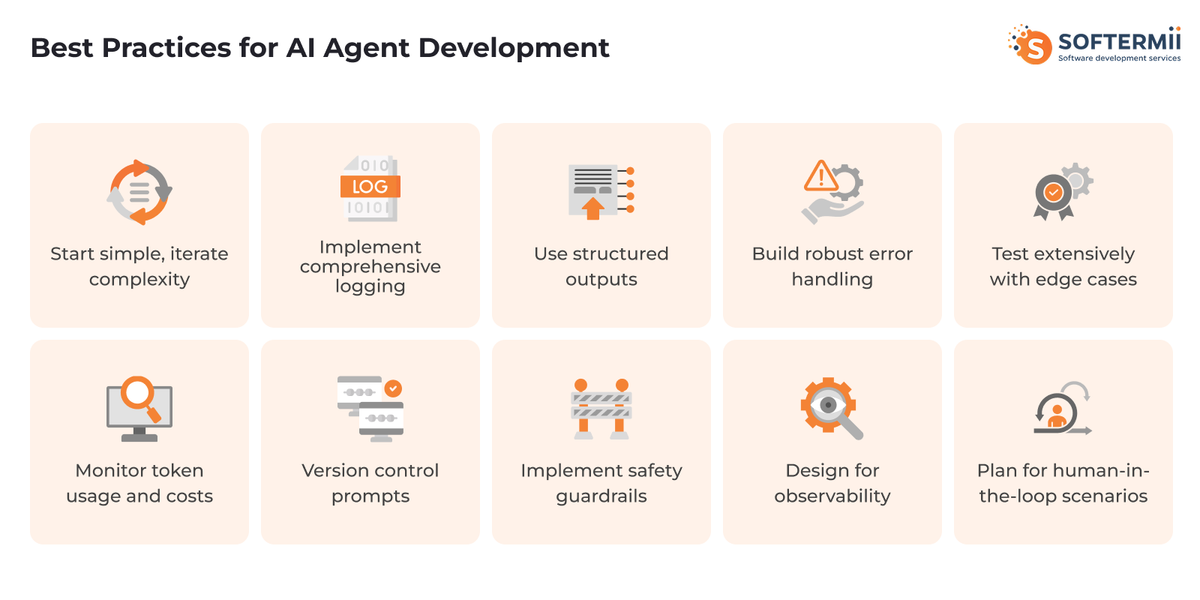
Start simple, iterate complexity: Begin with a minimal viable agent that handles a single use case well. Validate the approach before adding features. Complexity should emerge from proven needs, not assumptions.
Implement comprehensive logging: Log every LLM request with inputs, outputs, token usage, and latency. Record all tool executions and their results. Capture decision points and reasoning. Store conversation histories for analysis. This visibility is essential for debugging and optimization.
Use structured outputs: Prefer JSON or other structured formats over natural language for tool results and agent outputs. This reduces ambiguity and parsing errors, enabling reliable downstream processing.
Build robust error handling: Expect and gracefully handle LLM failures, tool unavailability, invalid parameters, timeout errors, and rate limiting. Return informative error messages that help the agent recover or escalate appropriately.
Test extensively with edge cases: Go beyond happy path testing. Challenge your agent with ambiguous inputs, impossible requests, malformed data, conflicting instructions, and adversarial prompts. Measure how often it fails and how gracefully.
Monitor token usage and costs: Track spending in real-time. Set up alerts for unusual patterns. Analyze which conversations or features consume the most tokens. Continuously optimize to reduce waste.
Version control prompts: Treat prompts as code. Use version control to track changes. Document why prompts changed. Test prompt changes systematically before deployment. This prevents regressions and enables rollback.
Implement safety guardrails: Add content filtering to prevent harmful outputs. Validate agent actions before execution, especially for irreversible operations. Implement rate limiting and abuse detection. Monitor for prompt injection attempts.
Design for observability: Build agents with debugging in mind. Expose intermediate reasoning steps. Make it easy to trace how decisions were made. Provide dashboards showing agent health and performance metrics.
Plan for human-in-the-loop scenarios: Identify high-stakes decisions requiring human approval. Build escalation paths for uncertain situations. Enable human override of agent actions. Design clear handoffs between automated and manual processes.
When NOT to Build an AI Agent (and What to Use Instead)
AI agents aren't always the right solution. Recognize when simpler approaches work better.
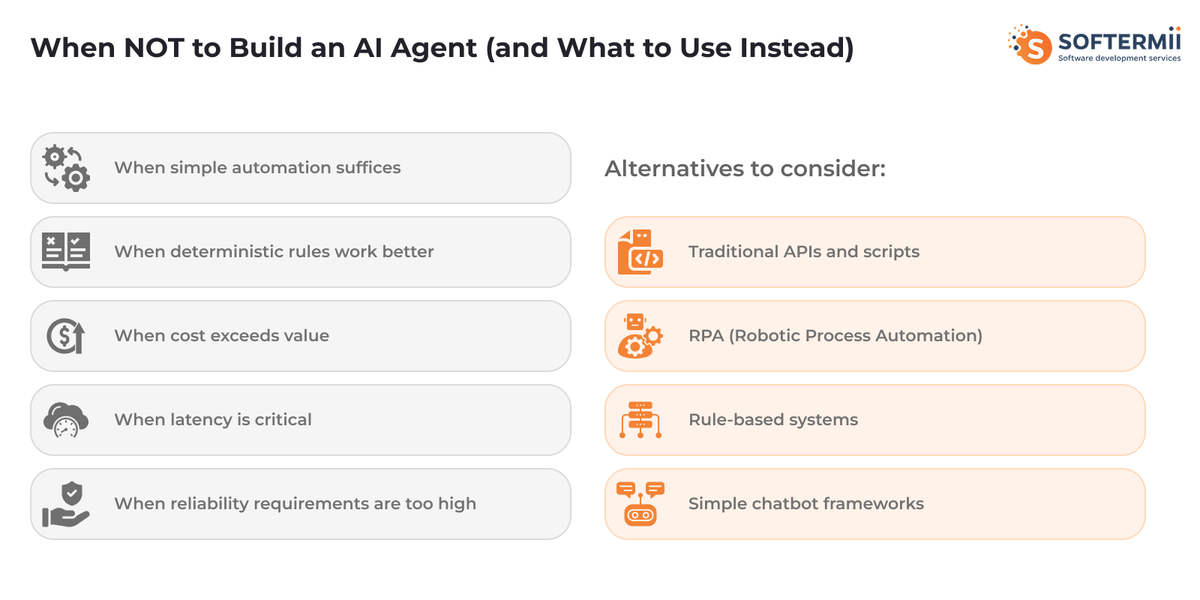
When simple automation suffices: If your workflow is completely deterministic with no decision-making required, traditional scripts or RPA tools are more reliable and cost-effective. Save AI agents for tasks requiring judgment, adaptation, or natural language understanding.
When deterministic rules work better: Problems with clear, unchanging rules don't benefit from LLM reasoning. A rule engine or state machine provides guaranteed behavior at lower cost and latency. Reserve agents for scenarios where rules are complex, ambiguous, or evolving.
When cost exceeds value: If the API costs and development investment outweigh the business value gained, reconsider. Simple tasks with low volume might not justify agent complexity. Calculate ROI before committing to development.
When latency is critical: Agents inherently have higher latency than traditional software due to LLM inference time. If your use case demands sub-second responses, explore caching, pre-computed responses, or traditional algorithms.
When reliability requirements are too high: Current LLMs are not 100% reliable. If your application cannot tolerate any errors or hallucinations (medical diagnosis, financial transactions, safety-critical systems), agents may not be appropriate without extensive validation layers and human oversight.
Alternatives to consider:
Traditional APIs and scripts handle deterministic workflows reliably. Use for data transformations, scheduled tasks, and integration between systems where logic is straightforward.
RPA (Robotic Process Automation) tools like UiPath or Automation Anywhere excel at automating repetitive UI-based tasks following exact sequences.
Rule-based systems using business rule engines provide transparent, auditable decision-making for scenarios with well-defined logic.
Simple chatbot frameworks like Rasa or Dialogflow work well for constrained conversational applications with limited intent recognition needs.
Real-World AI Agent Examples and Use Cases
Organizations deploying AI agents report substantial returns on investment, with companies achieving an average ROI of 171% from agentic AI deployments. U.S. enterprises specifically forecast 192% returns, while 66% of current adopters report measurable productivity improvements and up to 70% cost reduction through workflow automation.
Customer Support Automation
Handles common customer inquiries, routes complex issues to human agents, and maintains conversation context across interactions. Uses natural language understanding to identify intent, knowledge base retrieval for finding relevant information, and CRM integration for customer history. Complexity level is moderate, requiring robust NLU and multiple integrations. Expected performance includes 70-80% automated resolution for common issues with 24/7 availability.
In customer service applications, AI agents are delivering transformative results. Verizon's deployment of Gemini-powered virtual assistants led to a 40% increase in revenue and reduced average call handling times, with 28,000 agents using the system by early 2025. Similarly, ServiceNow's AI agent integration achieved a 52% reduction in time required to handle complex customer service cases.
Sales Lead Qualification
Automatically evaluates and scores leads from various sources, enriches lead data, and schedules meetings with qualified prospects. Employs lead enrichment APIs, CRM integration, email automation, and calendar synchronization. Complexity is moderate with emphasis on data quality and integration reliability. Performance targets include processing hundreds of leads daily with 85%+ accurate qualification.
Content Research and Generation
Researches topics across multiple sources, synthesizes findings, and generates structured content. Utilizes web search APIs, content extraction tools, and document generation. High complexity due to information synthesis requirements. Performance depends on source quality, with agents producing research-backed content in hours rather than days of manual work.
Code Review and Testing
Analyzes pull requests, suggests improvements, identifies potential bugs, and runs automated tests. Requires repository access, static analysis tools, and test execution environments. High complexity given code understanding needs. Performance includes catching 60-70% of common issues before human review.
Data Analysis and Reporting
Connects to databases, performs analysis based on natural language queries, and generates visualizations and reports. Uses SQL generation, data visualization libraries, and report formatting tools. Moderate to high complexity depending on data sources. Performance enables non-technical users to extract insights independently.
Meeting Scheduling and Coordination
Finds mutually available time slots, sends calendar invitations, and handles rescheduling requests. Integrates with calendar APIs and email systems. Low to moderate complexity. Performance includes scheduling most meetings without human intervention.
Next Steps: From Basic to Advanced AI Agents
Developing expertise in AI agent development follows a progression from foundational concepts to advanced architectures.
Master basic agent loop: Start by building a simple agent that receives input, calls an LLM, executes one tool, and returns results. Understand the perception-reasoning-action-observation cycle thoroughly before adding complexity.
Add memory and context: Introduce conversation memory to maintain state across interactions. Implement basic retrieval from a vector database. Learn to manage context window limitations effectively.
Implement multi-tool coordination: Expand your agent to orchestrate multiple tools, handling dependencies and sequential operations. Develop robust error handling for complex workflows.
Build multi-agent systems: Create specialized agents that collaborate on complex tasks. Implement inter-agent communication and coordination. Design role-based architectures for different capabilities.
Add learning and adaptation: Implement feedback loops that help agents improve over time. Track performance metrics and adjust behavior based on outcomes. Experiment with fine-tuning for specific domains.
Scale and optimize: Focus on production concerns like cost optimization, latency reduction, reliability improvements, and monitoring. Build systems that handle real-world usage patterns.
Resources for continued learning:
- Official Documentation: LangChain docs (python.langchain.com/docs), OpenAI agent guide (platform.openai.com/docs/guides/agents), Anthropic tool use docs (docs.anthropic.com/claude/docs/tool-use)
- Community Resources: LangChain Discord community, r/LangChain subreddit, AI agent development forums
- Tutorial Recommendations: Harrison Chase's LangChain courses, DeepLearning.AI agent courses, YouTube channels covering practical implementations
Partner with Softermii for Expert AI Agent Development
While building AI agents in-house is achievable with the right expertise, partnering with experienced developers accelerates time-to-market and ensures production-ready quality.
At Softermii, we specialize in custom AI agent development, bringing deep technical expertise across LLM integration, multi-agent orchestration, and enterprise-grade deployment. Our team has delivered successful agent implementations across industries including healthcare, finance, e-commerce, and logistics.
What sets us apart is our comprehensive approach to AI agent development. Rather than simply implementing basic chatbots, we architect sophisticated systems that integrate seamlessly with existing infrastructure, handle edge cases robustly, and scale reliably under production loads. Our expertise spans the full technology stack—from selecting optimal LLM providers and frameworks to implementing vector databases, building monitoring systems, and deploying on cloud infrastructure.
Client success stories demonstrate Softermii's capabilities:
A leading healthcare connectivity platform partnered with Softermii to build MediConnect, a sophisticated business communication solution connecting physicians with healthcare product companies. The platform integrated advanced video/audio communication technology using Softermii's proprietary VidRTC engine, secure payment gateways via PayPal API, and Azure-powered speech recognition for instant translation across language barriers. The implementation required a cross-functional team of 8 specialists including developers, designers, business analysts, and QA engineers working over 10 months.
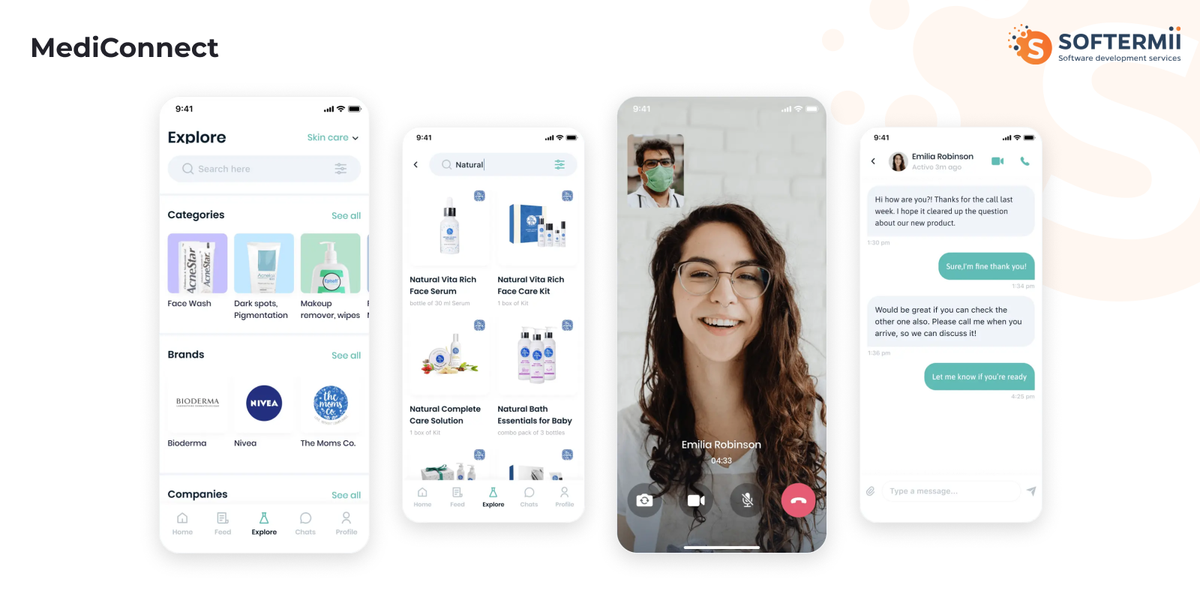
The results speak for themselves: 360 medical companies enabled their sales processes through the app, while 9,267 physicians actively used the platform within the first 6 months of release. Physicians engage with the app an average of 4 times monthly, leveraging features like HIPAA and SOC2-compliant communication, personalized industry news feeds, and direct access to relevant healthcare product representatives. The platform eliminated months of research time for companies by enabling direct physician contact while providing physicians with a simplified, accessible interface requiring just 5 minutes to start using.
An e-commerce platform worked with Softermii to develop a multi-agent system for customer service that autonomously handles product inquiries, processes returns, and resolves order issues. The implementation increased customer satisfaction scores by 28% while reducing support costs by 35%. The agents operate 24/7 across multiple languages with seamless escalation to human agents when needed.
A financial services firm engaged Softermii to create research agents that analyze market data, generate investment insights, and produce client-ready reports. The system processes hundreds of data sources daily, synthesizes findings, and delivers comprehensive analysis in minutes rather than hours. Analysts report productivity improvements of 3x for research-intensive tasks.
Our APEX Framework for Agentic AI Engineering is a delivery system for building production-ready AI agents through role-based, multi-agent workflows with mandatory quality checkpoints. APEX (Agentic Process Excellence) structures the full lifecycle—from discovery and solution architecture to implementation, testing, and continuous optimization—around explicit artifacts such as validated requirements, system diagrams, test cases, and security reviews. Each phase is executed by specialized agents and verified through Test-Driven Development, automated validation, and closed-loop error correction, ensuring decisions are traceable and outputs are deployment-ready. This approach enables predictable delivery while meeting enterprise requirements for reliability, security, and performance. Learn more about our APEX approach to agentic AI engineering. Learn more about our APEX approach to agentic AI engineering.
Summary: How to Build an AI Agent
- AI agents are autonomous systems powered by LLMs that perceive environments, reason about goals, use tools, and take actions to complete complex tasks.
- Core architecture includes a reasoning engine (LLM), memory systems, tool integration layer, planning modules, and feedback loops.
- Start development by clearly defining agent's purpose, success criteria, required tools, and workflow before writing code.
- Choose between building from scratch with APIs (maximum control), using frameworks like LangChain (rapid development), or no-code platforms (accessibility).
- Implement the agent loop: perception → reasoning → action selection → tool execution → observation → iteration.
- Use structured outputs, comprehensive logging, robust error handling, and safety guardrails for production reliability.
- Test thoroughly with edge cases, monitor token usage and costs, and continuously optimize performance.
- Common challenges include hallucinations, context limits, tool calling errors, and cost management—each with specific mitigation strategies.
- Development costs range from hundreds of dollars for simple agents to hundreds of thousands for enterprise systems.
- Consider simpler alternatives (scripts, RPA, rule engines) when deterministic logic suffices, or reliability requirements are absolute.
- Partner with experienced developers like Softermii to accelerate development and ensure production-ready quality.
How about to rate this article?
1 ratings • Avg 5 / 5 · Thanks for rating!
Written by:

CEO & Co-Founder
Slava Vaniukov is the CEO and Co-Founder of Softermii, with more than 10 years on the front lines of software development. He has spent that decade helping founders and enterprises turn ambitious ideas into products that ship — and that perform. Apps built by his teams have been featured on multiple “Top 10 Best App…